

 |
 |
 |
 |
 |
 |

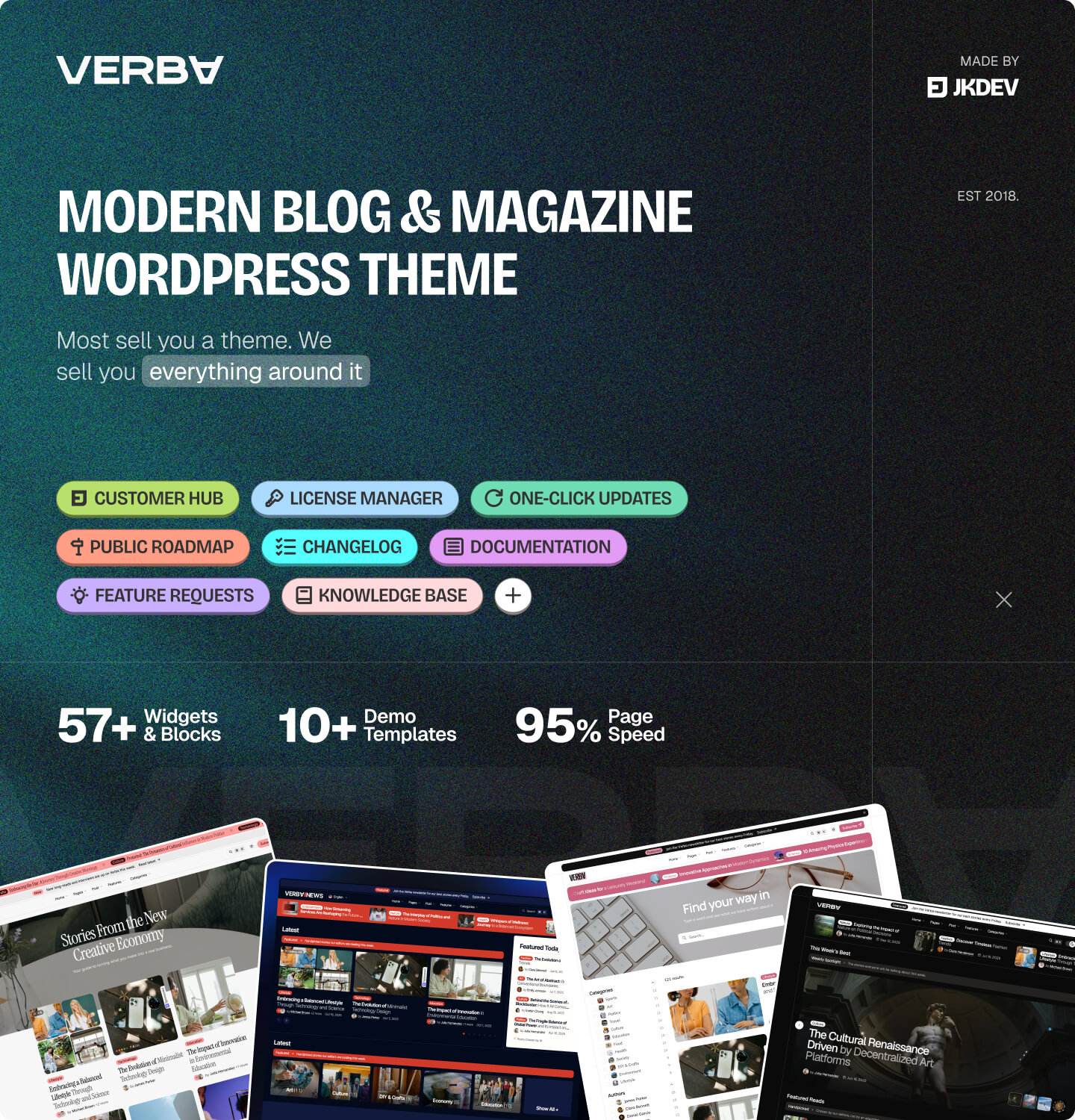
Verba – A WordPress Editorial Theme That Doesn’t Cut Corners
Most themes are a starting point. Verba is a finished publication.
Open a demo and click into it. The reading page, the archives, the mega menus, the search that answers before you finish typing, the dark mode that never flashes white on the way in. None of it is a mockup, and none of it waits on a plugin you haven’t bought. What you click through is what lands on your server on the first afternoon.
It suits anything with articles at the centre of it: personal blogs, magazines and culture titles, news sites and local newsrooms, review sites that carry ratings, photo journals, travel and food, research writing with citations, company blogs beside a main site. It handles the newsroom where one story carries a writer, an editor and a photographer, and the agency that hands a site to a client and would rather not get the call back.
Whatever you’re running, the theme is built around an article people finish, and then read a second one. One theme, one Pro plugin, the whole stack.
You Don’t Get a Zip. You Get a Place to Come Back To.
A theme purchase usually ends at the download, and from there you are alone with a file and an inbox. Verba comes with a Customer Hub, an account on our infrastructure that stays useful long after the purchase: the changelog in full; the documentation in the same place, not on a separate site and not a PDF from 2023; a support desk that already has your licence and system info attached, so you’re not pasting PHP versions into a forum post; licence management, so moving between staging and production costs you no ticket; and demo packages delivered to the site rather than frozen into a zip.
The roadmap is public and you can vote on it. Submit a feature request and watch it move across the board instead of into a void. Releases come on a regular cadence, each written down before you go near it. That is the difference between owning a file and owning a product.
Our Own Framework, Instead of a Stack of Plugins
The Hub is what happens after the install. This is what happens during it. Custom fields, a settings panel, a demo importer, a font manager, an export tool: normally five plugins with five admin screens and five update cycles. Verba runs on a framework we wrote, which does all five:
- A React admin, built like an application rather than a settings page from 2015. Theme Options open instantly, search across every control, and never reload.
- Custom fields for posts, pages, users, terms, menu items and widgets. Editorial metadata, menu accents, page-template settings and author details all run on this one layer.
- A fonts library covering Google Fonts, self-hosting, Adobe Typekit and your own uploads.
- Five breakpoints, with Elementor aligned to the same widths, so a tablet in the builder means the same pixels as a tablet in the theme.
- Settings import and export between sites, with no plugin and no pasting serialized arrays into a textarea.
- A demo importer with a granular picker, so you can take one homepage without scrubbing a thousand demo posts out after.
- Licensing and diagnostics wired into the Hub.
- An MCP server, so agents and automation read and operate the configuration through a structured interface.
- White label, if you hand sites to clients and would rather they saw your name.
Three years of work sit behind it, it ships with its own documentation inside the admin, and it carries no advertising. It’s also the foundation under every theme we release next, so it gets maintained whatever any one marketplace item does.
Demos That Need Exactly Zero Plugins
That framework is also why the demos behave the way they do. Import a demo on any theme you’re considering and count the plugins it asked for first. Five is normal.
Verba ships demos that install with no plugins at all. Not “no paid plugins”. None. Activate the theme, import the demo, and the site works: posts rendering, archives laid out, header and footer configured, colours and typography set. The Pro plugin adds the premium layer on top, and Elementor is there if you want a builder. Neither is a precondition for getting from zip to finished site.
The importer is ours as well
Almost every theme hands this job to the same ageing import plugin, and the buyer inherits a dependency nobody maintains for them, an admin screen that matches nothing else, and a run that fails halfway on a shared host with no way to tell which half arrived.
Ours is part of the framework, so there is nothing extra to install. It brings in content, attachments, options, menus, widgets and Elementor templates, and individual pages import on their own if all you wanted was a homepage.
One Unified Post Listing – Everywhere Posts Appear
A blog is a list of posts. Everything else is decoration on top of that, which is why this is the piece we built first and the piece everything else leans on.
Most themes write it several times over: one version for the Elementor widget, another for the block editor, a third for the native parts, three code paths that drift apart. Verba has one. A single schema describes what a listing is and how it renders, and every editing surface reads it: Elementor, the block editor, per-post custom fields, Theme Options, and native parts like related posts, tickers and archives.
Two things follow. When we add a layout, a card style or an option, it arrives in every surface the same day, because there is nothing to port. And you learn it once: the panel you figured out in the block editor is the panel waiting in Elementor and in the archive settings, same names, same order.
Two settings that replace a stylesheet
Offset skips the first N posts of a query, so a hero block can take the three newest and the list underneath starts at the fourth. Avoid Duplicates drops any post an earlier listing on the page already printed, so a front page built from five sections stops repeating the same article in three of them.
Listings take passengers
Content injection places a block (an ad, a newsletter box, a promo, anything you can build as a pattern or an Elementor template) between the cards, at the position you pick, as a real item in the grid. Not a banner shoved above the list, not a list broken in two with something wedged in the gap. The cards keep their rhythm, the way a magazine runs house ads.
What one listing can output
List, grid, masonry, featured-list, hero-stack and carousel layouts; sliders and composite multi-column arrangements; news-style tickers; mixed-priority hero feeds. Per-archive control of data, formatting, query and post-format handling. Several Load More styles plus dynamic pagination. You can build whole sites out of this one thing.
Style Kits: Change the Whole Look Without Designing It
The next thing most people want to change is how the site looks, and picking colours and type is the part they dread. A Style Kit is a full look (palette, typefaces, type scale, weights, radii, spacing rhythm) applied in one click, with a live preview first.
What makes them useful is where they reach. A kit sets the design tokens the entire theme reads from, so the block editor, the Elementor widgets, the native templates, the header, the footer and the reading page all change together. Build in Elementor and never open Gutenberg, and Style Kits still work. Use blocks exclusively, same answer.
Nine ship with the theme: Default, Geometric, Minimal, Studio, News, Sepia, Terminal, Blush and Cobalt. Apply one and adjust from there, or ignore them and set every token by hand.
The AI Layer, Done Like Software Rather Than a Gimmick
Most “AI in a theme” is a button that writes alt text against whatever model was cheap that month. Verba Pro integrates an AI layer at the framework level instead:
- You bring the provider: your own account, your own key. Your content goes where you decided it goes, under a contract you signed.
- Describe the result you want, and the layer proposes settings, fills defaults and explains what each control does in context. Nothing changes without your confirmation.
- Reader-facing features that earn their place: Summarize With AI on a single post, TL;DR and Key Points blocks that read the article rather than repeating its first paragraph.
- The MCP server, again: audit Theme Options across ten sites, draft custom fields from a content brief, have CI check settings parity between staging and production.
- Built against the WordPress AI capabilities, so those land the day they land rather than a release behind.
Less time on the parts of running a publication nobody enjoys, and none of your work handed to a service you didn’t choose.
Integrations: The Fitting Work, Already Done
An integration, the way we mean it, is a thin layer between Verba and one outside thing: a service, a plugin, a data source. Its job is the fitting between something that works well and a theme that has to show the result.
Take search. Algolia returns results in milliseconds against post bodies, taxonomies, custom fields and author names, where WordPress compares your query to post titles and gives up. But an index is not a search experience. Somebody decides what gets indexed, how results are grouped, what a row looks like in your design. That work is the integration.
The same shape applies across the board. A language switcher that matches the theme instead of dropping in default markup. Form styling that targets the exact markup one plugin renders, so no rules leak onto a form it didn’t produce. Consent handling other integrations can ask before they fire. Co-authors that every byline, archive and listing understands.
They are managed from one tab in the theme dashboard: install, activate, remove. Every integration we publish is included, Verba runs perfectly without any of them, and every service keeps its own pricing and terms.
Design That Doesn’t Try to Impress You
Nothing blinks, no button carries five colours, body text is never bolded to make a point, and the tablet breakpoint was tested on an actual iPad mini. The design language is content first and monochrome, with one accent colour you can override. The effort went where it decides whether somebody reads to the end: a layout that stays out of the way, typography carrying the hierarchy, line lengths set for reading rather than for filling the column. A look built on hierarchy ages better than one built on whatever felt current the year it shipped.
Dark Mode Without the Flash of Wrong Theme
The first paint of every page already knows whether you’re in light, dark or system mode. The choice is stored in a cookie (or local storage if you prefer), read server-side, and applied before the first byte of HTML reaches the browser, so there is no flicker on the way in and no white header sitting for 200ms while the page turns dark. It follows prefers-color-scheme when no override is set.
Fewer Pieces, and They Fit
“200+ blocks” usually means one hero repeated in twelve colour schemes with the padding drifting between them. Verba goes the other way: every widget and every layout reads the same design tokens, so a spacing change lands identically in all of them, and one update changes how cards look everywhere at once instead of one widget at a time.
A Short List of Things Verba Doesn’t Require
Said once here instead of under every feature. To run Verba and get everything in the demo, the full list of what YOU DON’T NEED:
- No coding skills
- No Elementor Pro
- No ACF, Kirki, or any other field or options framework, all of it is built in
- No one-click demo-import plugin
- No paid license for anything, and no overpowered server to run it on
No required third-party plugins. Verba and its Pro plugin are the entire stack you install. We recommend only Elementor (free), and even that is optional, since the block editor and the native templates cover every layout the demo ships.
What that replaces: the fields plugin, the options framework, the importer, the font manager, the consent banner, the share buttons, the reading time, the table of contents. Eight admin screens become one. Where an outside service is the right answer, like Algolia or Mailchimp, we wrote the integration ourselves.
Block Editor Support, With a Real Native Fallback
Don’t want Elementor? You don’t need it. Verba ships 34 custom Gutenberg blocks, declared natively to the editor, which is worth saying because plenty of themes ship a metabox wearing a block costume: a settings box in the sidebar rendering a preview of something else. These behave the way a block behaves, the panel is the block inspector and changes are visible on the canvas. They read the same schema as the Elementor widgets, so a control added once turns up on both surfaces, and one demo is built entirely in the block editor.
You can go further and not use a page builder at all. There’s a direct link to Verba running on the official WordPress Theme Unit Test data: every odd content case, nested list and formatting edge WordPress can throw, with no plugins and not even the Pro plugin. It’s the theme exactly as it looks the second you activate it, and it is still a blog that works perfectly.
Section Styling Without Writing CSS
You have a section. You want it on the secondary surface, rounded, bordered on the left only, sticky as the reader scrolls past. Normally that’s a class in Additional CSS, and a snippet you now own that breaks the next time the palette changes.
Verba puts that panel on the section itself, on an Elementor container and on the core Group block, and it is the same panel in both. Surfaces, corners, borders, sticky behaviour, overlays and the border animation are choices you make on the section, drawing on the same design system as the rest of the theme, so a section built in blocks and one built in Elementor come out identical.
The one that surprises people: a section can hold the dark palette while the rest of the site stays light, and stay dark after a reader switches the whole site to dark mode. Or invert, flipping to the opposite of the current scheme. A dark band under a light homepage, done in a dropdown.
Put a Block Everywhere, Once
Sooner or later you want the same thing on every page: a newsletter box under the article, a notice above the footer, a promo between the header and the content. Verba ships empty zones at those positions, and you fill them with a block pattern or an Elementor template of your own. Set it once, it appears site-wide, and you change it in one place.
Inside an article there’s a stronger version. Injected content lands between the article blocks, at a position you choose: a newsletter box after the intro, a promo halfway down, a note near the end. Never inside a block, so a paragraph is never cut in half, and it reads in the article typography like everything else in the column.
Elementor, Properly Integrated
Twenty-five custom Elementor widgets, every one built for an editorial job rather than to pad a count: post listing, taxonomy listing, catalogue listing, resources listing, taxonomy-label ticker, marketing bar, promo bar, author card, author bio, section title, quick links, social, sign-in, button, label, logo, copyright, time greeting, ad banner, quote, video box, before / after, image hotspots, decorative cards and decorative people. An Algolia listing widget arrives with the Algolia integration. Plus premium controls: an icon picker wired into our icon system, repeaters, and a responsive value control. All of it works without Elementor Pro, and survives a page transition without re-initialization bugs.
Elementor can also take over the global templates: header, footer, single post and archive can each be replaced by an Elementor template while the rest of the theme keeps working around it. The builder runs on the theme’s breakpoints, so what you set on the tablet tab is what tablets get. Post listing arrives here the same way it arrives everywhere else, carrying the settings you already learned in the block editor.
Multiple Single Post Templates, Per-Post Overrides
Single Post is an atomic system rather than one fixed layout. The top of an article has five named header styles (Default, Overlay, Two-side, Featured and Overlap) and each can sit above the article as its own band or be integrated into the column with the text. Every style knows what to do with a video, a gallery, an audio track or a 3D model, so switching the header doesn’t break the post format underneath it. Set it once for the site, then override it on the posts that deserve something else.
The reading experience
A reader bar pinned to the post, text-size controls, text-to-speech that reads the article out loud, reading progress, a table of contents, TL;DR and Key Points, sources and citations, post-format display, like and save, native and fallback share, scroll-to-top, reading time and view counts. Continuous Reading loads the next article as you reach the end, so an engaged reader never goes back to an archive. Comments get their own treatment too, including up and down voting. None of it needs a plugin.
Two Places to Configure, and a Clear Line Between Them
Styling lives in the Customizer, where WordPress puts it and where you already know to look: colours, typography, the design tokens the whole theme reads. Everything else lives in Theme Options, a settings app of our own: instant, searchable, never reloading the page to apply a change. Every setting carries a description in plain language, so you’re not guessing from a label. And what you set for the site you can override on one post, one page, one author or one category.
Documentation Written for How People Actually Read Now
Nobody opens the manual any more. You paste the question to your assistant and expect an answer. So every article here ships an LLM-readable file beside the page a human reads. Your assistant gets clean structured text instead of scraping a layout and guessing at what’s a heading and what’s a screenshot caption, which is the difference between a correct answer and a confident wrong one.
For the times you read it yourself, there are around 150 pages, reference and tutorial in equal measure, covering the theme from the server it lands on to the page you build on it. A separate Knowledge Base carries the answers that belong to no single page. Both are public, searchable, and neither stops at “how to install the theme”.
Cookie Consent, Ours and Included
One of our own integrations, installed from the dashboard in a click, talking to no outside service: no consent-management account, no monthly fee, no third-party script deciding what your visitors see. The banner is styled in the same design language as everything else, and tuned for the compliance most editorial sites need.
Your Analytics tag, your Tag Manager snippet and anything else you run is sorted into Necessary, Analytics or Marketing, and nothing fires until the visitor agrees. They can change their mind later from a quiet link in the footer.
Found by Search, and by the Answer Engines
Search is how most of your readers will ever arrive, so we treated it as first-class. Clean semantic HTML, a heading structure that means what it says, image alt rendering that works, schema markup baked into the editorial content types. Lean markup is half the ranking battle before any plugin is involved, and you get that baseline with no SEO plugin at all.
The other half of that traffic no longer comes from a results page. It comes from an assistant that read your article and answered on your behalf, and what it can quote depends on whether your markup told it what it was looking at. The schema, the headings and the summary blocks hand it a clean article rather than a wall of divs. The same work that ranks a post is the work that gets it cited.
When you do run an SEO plugin, it slots in cleanly. Breadcrumb sources are built for Yoast SEO, Rank Math, SEOPress and All in One SEO, so Verba reads the trail of whichever you have. Open Graph and meta tags stay with your plugin.
Accessibility, Working Out of the Box
Accessibility lives in the markup, which is the only place it can live. Semantic landmarks and a heading structure that means something. Meaningful ARIA labels and roles. Full keyboard navigation through menus, the command palette, overlays and forms, with visible focus states and focus that stays trapped inside an open overlay instead of wandering off behind it. A skip-to-content link on every page. Motion respects prefers-reduced-motion, so a reader who asked their system to calm animations down gets a calm site. None of it is a setting you enable: an accessible site that depends on the buyer finding a checkbox is not one.
Performance Built In, Not Bolted On
Low-quality placeholders fill in while the real images load, so nothing pops or jumps on the way down the page. That is one of our integrations, not a lazy-load plugin you go and find. Images ship on an AVIF and WebP ladder the browser picks from, at sizes that match the slot, and anything below the fold waits its turn. No jQuery, and no framework tax on top of it.
The same applies to the parts of Verba you don’t use. Every integration is its own module, so one you never install is code that never reaches the browser: no dormant CSS for a search service you don’t run, no dead script for a form plugin you don’t have.
The demos run with no caching plugin at all: no WP Rocket, no LiteSpeed, no page-cache layer papering over anything, only ordinary server-side caching, because we wanted them to behave like a live site rather than a static snapshot. What you measure there is roughly what you get after the install.
Page Transitions That Don’t Reload the World
Click a post on the demo and watch the URL bar: it changes, nothing flashed, and the header neither re-rendered nor restarted its animation.
“Smooth transitions” usually means AJAX: a script fetches one piece of content into a container, and everything outside it was never part of the deal. Verba runs a router. Barba.js pulls the whole next page and hands it to the session already open, so the archive, the single post and every template in between are real pages with real URLs that never cost a reload. Every widget survives the handover, every animation re-initializes, and it is wired through Elementor as well as the native templates. You have seen this on portfolio themes; it is now on a blog theme, running over thousands of posts.
Barba is the priority path, not the only one. If a full SPA doesn’t suit your build, say you’re planning third-party extensions that expect normal reloads, Verba also integrates the View Transition API: smooth cross-page transitions while keeping real reloads. To our knowledge, Verba is the only theme in ThemeForest’s Blog & Magazine category shipping View Transitions out of the box.
A Command Palette Built Into the Site
⌘K (or Ctrl+K) opens a command palette on the front end. Type a few characters and you get grouped results: Pages, Categories, Authors, Featured Posts, and live results, which run through our Algolia integration when you connect one. Fully keyboard-navigable and themable. It never shows up in a screenshot, and visitors find it within ten minutes.
Mega Menus and Morphing Submenus
Two mega menu variants. The column megamenu holds banners, categories and custom layouts; the categories megamenu swaps its post panel in over AJAX when you hover a parent category. Plain submenus sit alongside them with column layouts, banner slots and nested cascading, keyboard-accessible and RTL-aware.
Then there’s the morphing animation. Move from one menu item to the next and the open panel doesn’t blink out and pop back in: it reshapes from the old menu into the new one, sliding and resizing in one motion, so the dropdown reads as a single surface following your cursor. You feel it more than you notice it, and it makes the navigation feel expensive.
Think You’re Limited to Google Fonts?
The Fonts Library refuses to box you into one provider. Pull from Google Fonts and self-host them locally for GDPR with a single toggle. Connect Adobe Fonts through Typekit. Or upload a foundry licence or a variable font you bought, and the library serves it locally. Every choice previews live in the admin, and whatever you pick loads without shifting the page as it arrives.
Editorial Chrome That Earns Its Pixels
A marketing bar sits above the header with rotating slides, pause on hover and CTA links, and under it a promo bar, a footer ticker for breaking news or section labels, and a time-greeting element that follows the visitor local time. Before You Go catches a reader on the way out with one more thing to read; the Floating Card holds the next article in the corner without interrupting this one. These are the surfaces a publication monetises with, which is why they get real settings rather than a toggle.
Post Co-Authors
Multiple authors on one post, each with their own profile, bio and credit on the byline, through our own integration rather than a plugin bolted on beside the theme. Author archives respect every credited author, and bylines render in the order you set, and a guest author carries a position line under the name. Niche for most blogs, the whole job for a newsroom.
3D Models on a Blog Theme
Verba treats a 3D model the way it treats a video. Upload a glTF, GLB or USDZ file straight into the media library, which the theme teaches WordPress to accept, and the post renders it interactively at the top of the page: orbit controls, ambient lighting, and a poster image on slow connections. Every listing knows about it too, so the card carries a model badge the way it carries a video one. Niche, and we know it, but if you publish design work, product reviews or architecture, it’s the difference between “here’s a photo” and “rotate it yourself.”
Built Right So It Holds Up
The code passes PHPCS against the WordPress Coding Standards ruleset, with ESLint and Stylelint enforced on the front-end source. A POT file ships for translation, and the RTL bundle is generated alongside the default one. All of it runs on every release rather than once before submission, which is the only way it stays true after v1.1.
Developer Friendly, All the Way Down
Verba is built to be worked on, and it wasn’t generated by an AI into something you can’t touch without an AI to touch it back. Any component and any template part, and we mean any, can be customized through the filters, actions and global events it exposes. The Pro plugin extends the theme through the same system a third-party developer gets: anything we can do to the theme, you can do too.
A theme is not a screenshot. It is the six months after you launch on it.
Oleksandr Poslushnyak, founder, jkdevstudio
The numbers, plainly
- 0 bundled or required third-party plugins
- 0 plugins needed to import any demo
- 12+ demos, each a complete site rather than a homepage
- 9 Style Kits, each covering palette, type and the whole token set
- 25 Elementor widgets and 34 blocks, built from one schema
- Every integration we publish, included, installed from the dashboard or not at all
- 95 PageSpeed on the demos, with no caching plugin running
- 39% less CSS and JavaScript than the category average
- PHP 8.5 ready, tested against current WordPress
- 100% of values filterable, every component overridable from your own code
- 5 breakpoints, every spacing and layout value settable on each
- 150 pages of documentation, plus a Knowledge Base
Plus Everything Else
The sections above are the headlines. There’s plenty more we didn’t write one for, the conveniences you run into the moment you start building:
Editorial UI
- Time-greeting element, following the visitor local time
- Taxonomy-label ticker for hero areas and footers
- Before / After comparison, image hotspots, video box and pull-quote blocks
- Decorative cards and decorative people elements
- Modal overlays through our own integration, and a 404 page designed rather than inherited
- Ad banner placements per zone, including as a card inside a listing grid
- Related Posts and Read Also, with taxonomy-aware ordering
- Marketing bar with rotating messages, and a close the visitor presses once
- Call-to-action band above the footer, native or replaced by a template
Fields That Editors Actually Use
- Post subtitle, TL;DR, key points, sources and citations, read-also picks
- Sponsored post marking, handled properly rather than as a category
- Category image, video, icon, and one post pinned above its archive
- Tag archives with their own featured post
- Author profiles: custom avatar or initials badge, position line, socials, pinned post
- Per-page layout: hide the navigation and footer for a landing page, set its own page header
- Per-post header style, overriding the site default in two clicks
- Split titles and hover summaries, set once and applied everywhere posts appear
- Drafts and private posts shown on the front end to signed-in editors
- Long posts split across numbered pages, with the contents list following along
- Comments collapsed behind a toggle, with a verified mark on the post author
- Category sub-menus and mega menus, built from your categories rather than by hand
- 404, search results and password-protected posts, designed rather than inherited
The Essentials, Handled
- Tabler Icons, thousands of them, wired into the icon picker
- Responsive on five breakpoints, retina-ready, tested across modern browsers
- Translation ready with a POT file, plus an RTL stylesheet built alongside the default
- Sticky header and scroll-to-top
- Design tokens throughout, so one setting change cascades cleanly
- White label, if you deliver sites to clients under your own name
Compatibility
- Elementor (free) – 25 custom widgets, premium controls, global template overrides
- Gutenberg – 34 custom blocks, patterns, theme.json design tokens
- Yoast SEO, Rank Math, SEOPress, All in One SEO – breadcrumb sources
- Contact Form 7 – styled down to the markup that one plugin renders
- Mailchimp – our own integration, so there is no list plugin to install
- WPML, Weglot and TranslatePress – switcher styling and layout overrides
- Algolia – search and live listing results
- Barba.js transitions plus View Transition API, with per-plugin re-init hooks
Everything Around the Theme
Everything above lives at one address. Here is where each part of it is.
Customer Hub
– licences, downloads and your account
Documentation
– setup, settings and tutorials
Knowledge Base
– server requirements, licences, migration
Support Desk
– open a ticket
Changelog
– every release, in full
Roadmap
– what is next, and what is being built
What’s New
– studio releases and news
Subscribe
– hear about new themes as they land
❗ Important Notice & Licensing Disclaimer
All demo assets included with the theme are properly licensed and available for use after demo import. No placeholder or restricted media is shipped.
- Images: Pexels, Unsplash
- Videos: Pexels
- 3D Models: Sketchfab (Creative Commons Attribution)
- Fonts: Google Fonts
About integrations. Verba can connect to services such as Algolia, Weglot, TranslatePress, WPML and Mailchimp: some through the official free plugin the service publishes, others through an integration we wrote ourselves. Both kinds are included with the theme, and each service keeps its own terms.
No API keys, paid subscriptions, or external credentials are included. All third-party services are optional and the theme functions fully without them.
Built in full compliance with WordPress licensing standards and Envato marketplace requirements.
