
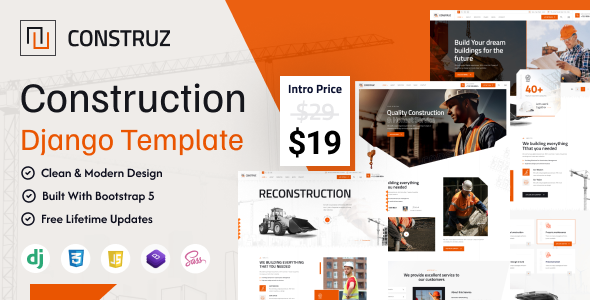


Construz – Construction Django Template. This Template is specially designed for those who want to start their architecture, business, company, corporate, electricity, engineering, or industry, It has a 100% responsive design and is tested on all major browsers and devices.
To ensure that it meets your demanding requirements, we have tested our Django Template to make sure it adapts itself to any device on which your users are viewing it, whether be it a laptop, mobile, or tablet!
Features Overview
- Unlock the Power of Django
- Bootstrap 5 Framework:
- 3 Creative Home Page
- SASS Style
- Responsive Layout Design:
- W3 Valid HTML Files :
- Well Documented :
Django is a high-level Python web framework built for rapid development, clean design, and robust security. With its “batteries-included” philosophy, Django makes it easy to build scalable, secure, and maintainable web applications. It follows the MVC (Model-View-Controller) pattern and provides everything developers need — from authentication to an admin panel — right out of the box.
Bootstrap is the most popular HTML, CSS, and JS framework for developing responsive, mobile first projects on the web.
Construz gives you 2 awesome Home Pages.
Construz Made with SCSS.
What ever you are using the device your site will run as it should be. Construz template is fully responsive layout for all type of devices.
Construz template coded with beautiful and clean codes! Some powerful HTML files 100% valid W3 web standards.
Construz template Doc File making with screenshots and very details how to edit very easy.
Construz – Full Features List
- 100% Fluid Responsive – Fits any device perfectly
- Tested on real devices
- 3 Unique HomePages
- 3 Header Styles
- Flexible Layout
- Flat, modern and clean design.
- Retina Optimized
- Social Links
- Clean & Commented Code
- Advanced Typography
- Pixel Perfect Design
- Blog / News Pages
- Various Post Formats
- Cross Browser Compatibility
- Awesome Unique Look
- Unique effects and functionality
- Google font
- Quick, Dedicated & Professional Support
- Well Documented & More….
Installation
FTP Upload:
- Open up your FTP manager and connect to your hosting.
- Browse to required directory (Normally public_html).
- Upload the files inside Main File folder.
Sources and Credits
Note :
- While images are not in the download package – but if you need the images please feel free to contact with us.
- This Template is not a WordPress Theme, and can’t be installed in WordPress

